Three lanes, one schedule conversation
Track client actions, contractor work, and milestone commitments in one shared visual surface so dependencies read the way the job actually progresses.
swimlane is built for schedules that start from committed dates, dependency lag, and lane ownership. Save the real planning model in a native .swimlane file, keep Excel optional, and let the chart surface the actual delay without rewriting the baseline.
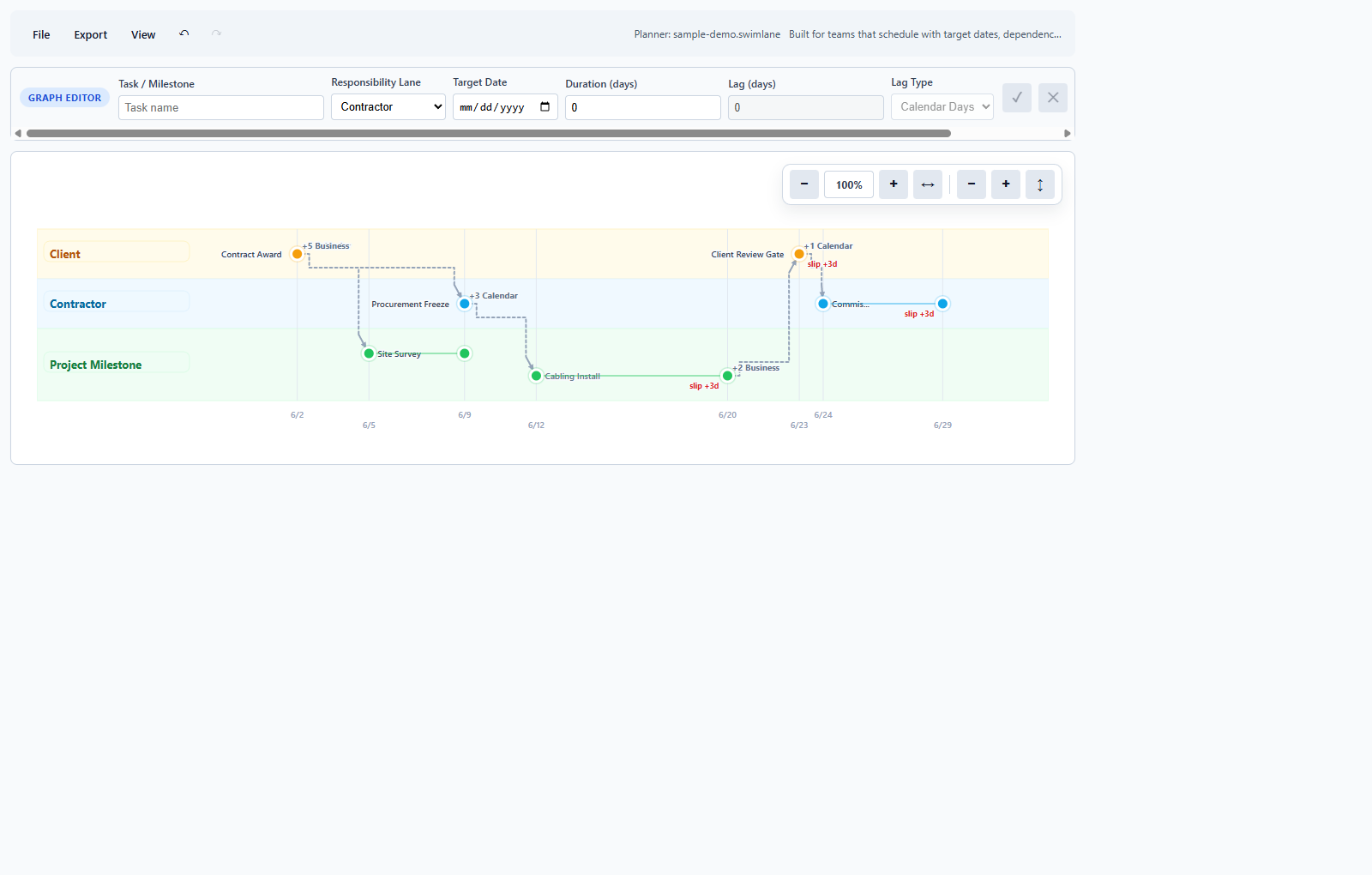
The planner keeps the authored target dates and the current schedule state separate, so round-tripping does not erase visible slip.
swimlane keeps the plan understandable while multiple teams push on the same timeline. The chart and task table stay in sync, target dates remain visible, and the file format is designed around the planner instead of around a spreadsheet compromise.
Track client actions, contractor work, and milestone commitments in one shared visual surface so dependencies read the way the job actually progresses.
Target dates stay authored. Slip is calculated in the schedule instead of being baked back into the saved file each time somebody clicks save.
Import existing workbooks, export a copy for outside systems, and keep the operational source of truth in the planner's own format.
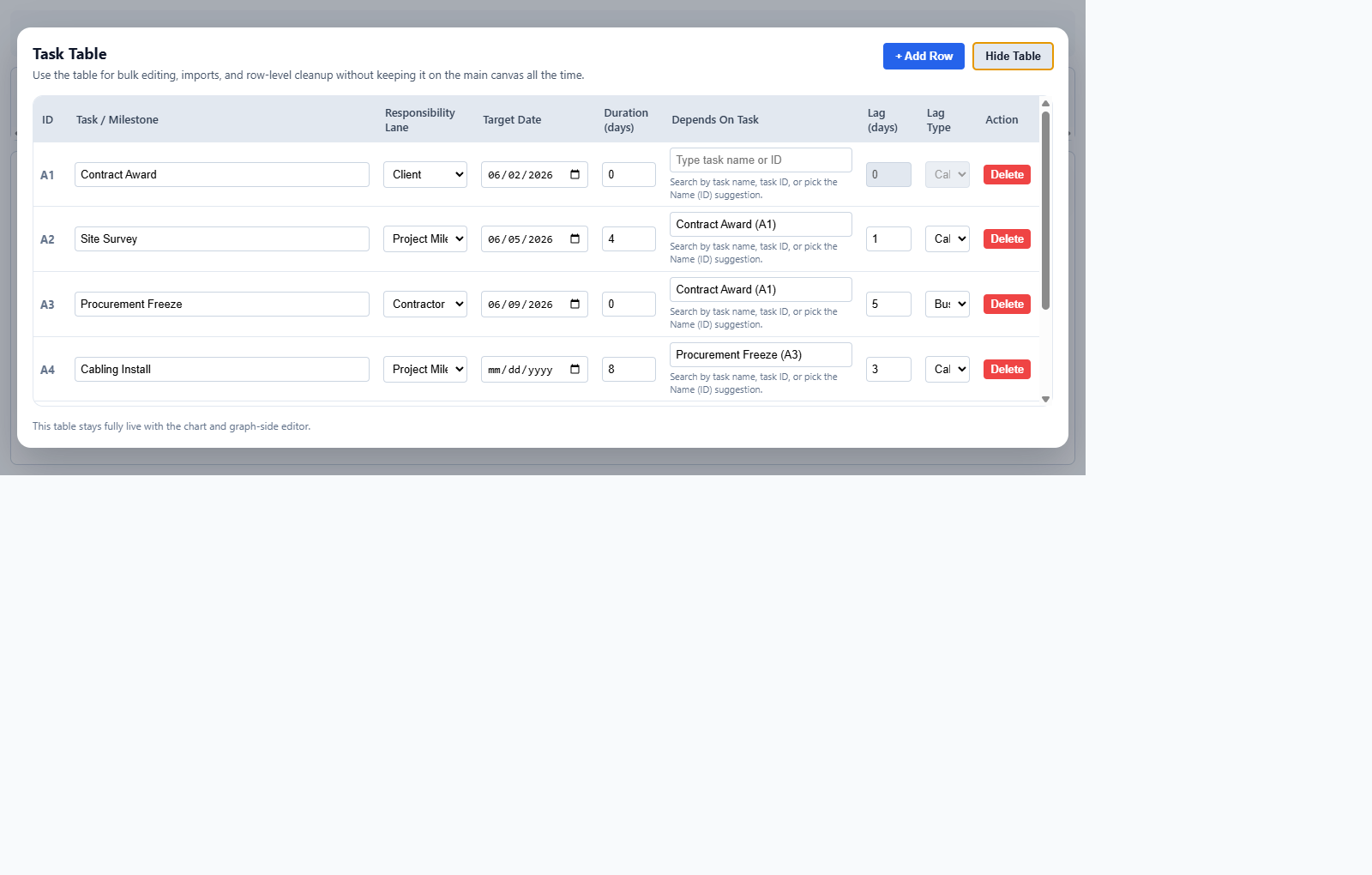
The product is designed so you can see what changed, what slipped, and why, without turning the interface into a maze of dialogs and spreadsheet workarounds.
Anchor tasks to intended dates, then let lag and upstream work determine where the actual schedule moves.
Calendar-day and business-day lag live on each dependency so the chart reflects the real rule behind the delay.
Open the same planner online for quick use or download the Windows installer when the work needs to stay local.
Yes. Use Online opens the live planner page directly, not a marketing demo or a separate sandbox.
No. The planner saves natively as .swimlane. Excel is there for import and export when a workbook is still part of the handoff.
The Windows installer gives you the packaged desktop experience with local file handling, while preserving the same planning surface and data model.
Use the complete guide at Documentation and FAQ for setup, task creation, dependencies, cloud workflow, and troubleshooting.